
- Why Do You Need to Manage Negative Google Reviews?
- How to Edit or Delete a Google Review as a Customer
- How to Edit or Delete a Google Review as a Business Owner
- What To Do if You Are Unable to Get a Review Removed
- What Types of Reviews Are Eligible for Removal by Google
- How to Contact Google Business Support
- FAQs About Deleting Google Reviews
- 1. How should you handle negative reviews?
- 2. How much time does Google need to remove a review?
- 3. Is it possible to edit a review I have posted on Google?
- 4. How long do negative reviews stay on Google?
- 5. Will Google reveal the identity of someone who reported a review?
- 6. How do you hide Google reviews?
- 7. How do you turn off the reviews function on Google Maps?
- 8. Is there a way to view deleted Google reviews?
Your Google Business Profile is one of the most influential parts of your online reputation. Whether you are a customer updating feedback or a business owner trying to manage negative reviews, knowing how to edit or remove a Google review is essential.
This guide walks you through how Google reviews work, how to edit or delete them, what Google allows, and what to do when a negative review cannot be removed.
Why Do You Need to Manage Negative Google Reviews?
Negative Google reviews can influence buying decisions, local rankings, and the public perception of your business. Even one unfair or inaccurate review can shape how customers view your business.
Managing reviews helps you:
- Improve trust and credibility
- Maintain strong local rankings
- Correct misinformation
- Show customers that you care about their experiences
Handling reviews quickly and professionally is part of a healthy reputation management strategy.
How to Edit or Delete a Google Review as a Customer
Customers can update or remove their own Google reviews at any time. This is helpful when the situation changes, an issue is resolved, or you want to revise wording.
Below are the steps to edit or delete your Google review.
Step-by-Step Instructions
1. Open Google Maps
On desktop or mobile, sign in using the Google account you used to write the review.
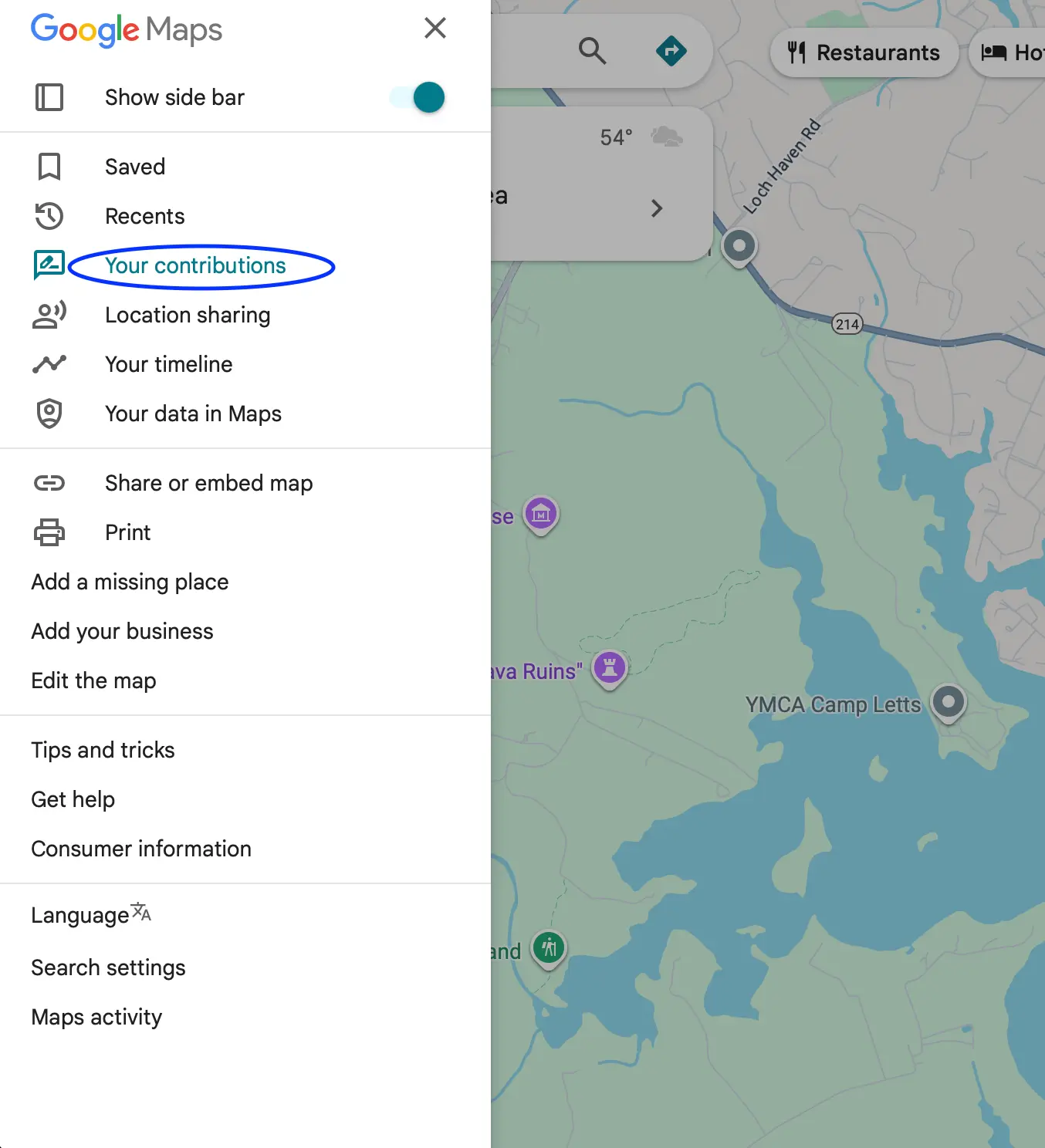
2. Click the Menu button
Select “Your contributions.”
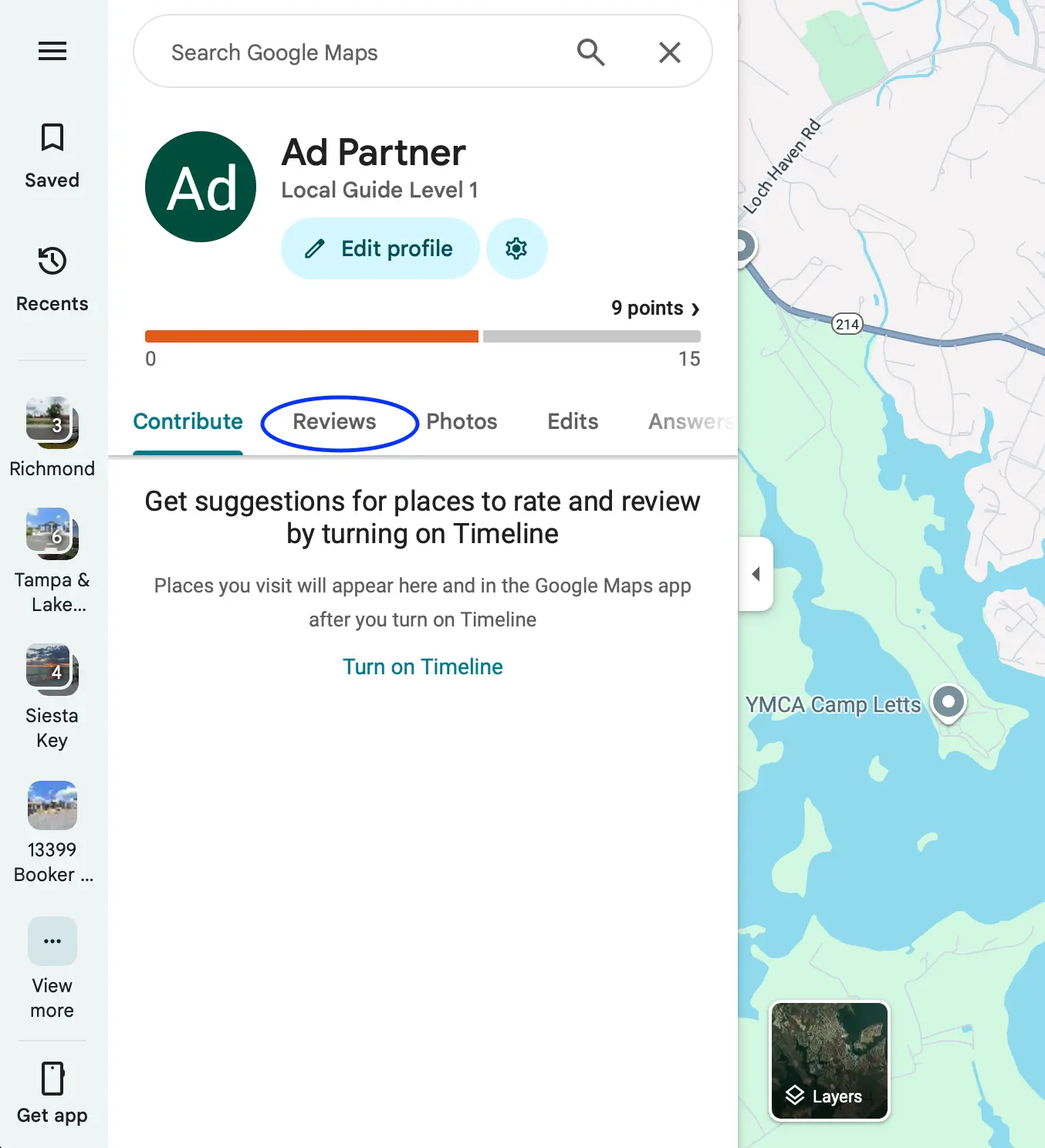
3. Select the Reviews tab
This shows all the reviews you have posted.
4. Choose the review you want to edit or delete
5. Click the three dots next to your review
6. Select Edit or Delete
Edit lets you update the review.
Delete removes it permanently.
7. Save your changes
Your updated review will appear immediately.
How to Edit or Delete a Google Review as a Business Owner
Most negative reviews can be used as actionable feedback to improve your business, but occasionally, users might mistake your business for another, say something that isn’t true, or even make harassing comments. While business owners cannot directly edit or delete reviews, they can report them if the content violates Google’s policies.
Below are the steps to request removal.
Step-by-Step Instructions
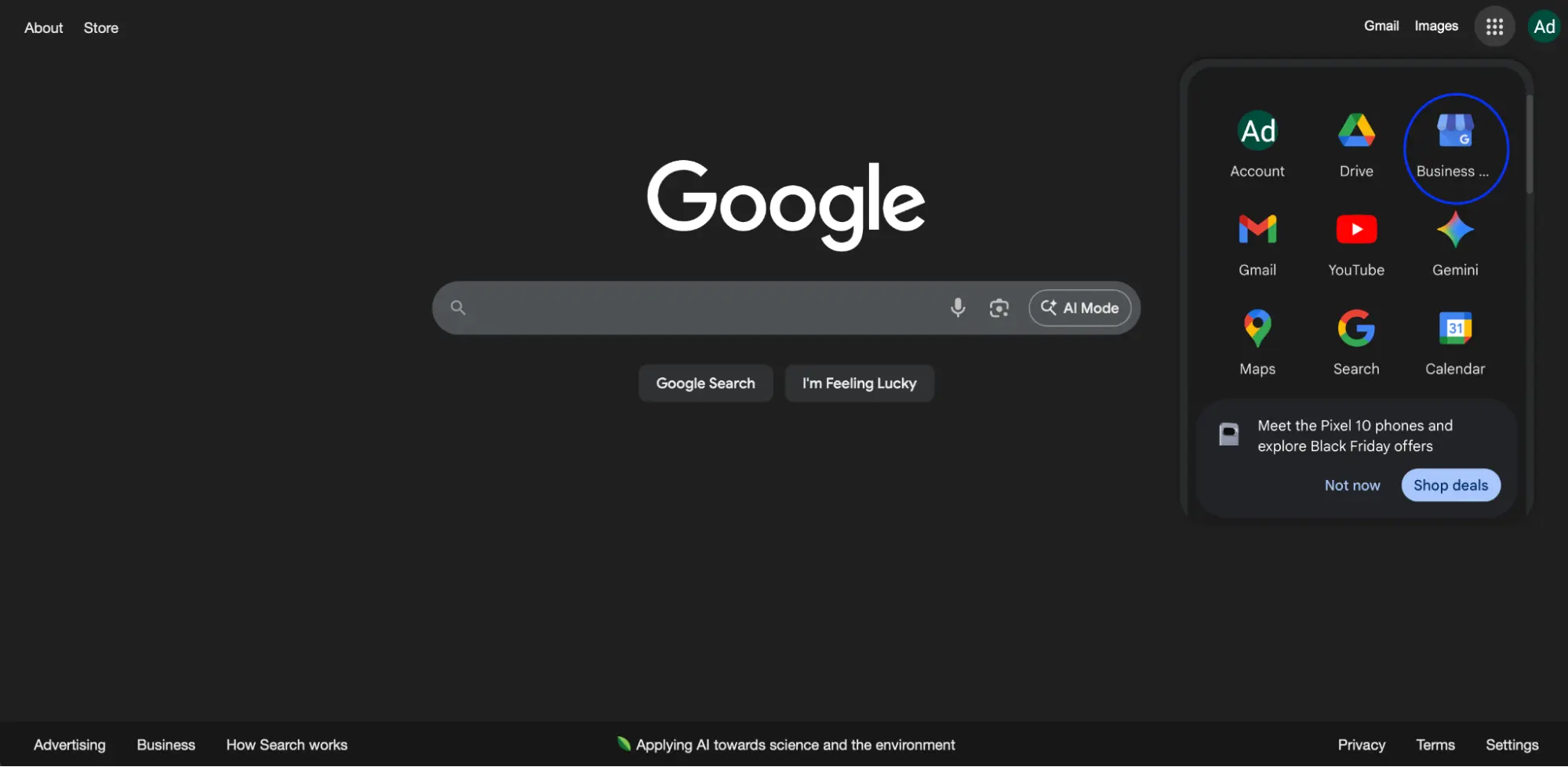
1. Go to your Google Business Profile
Log in at business.google.com.
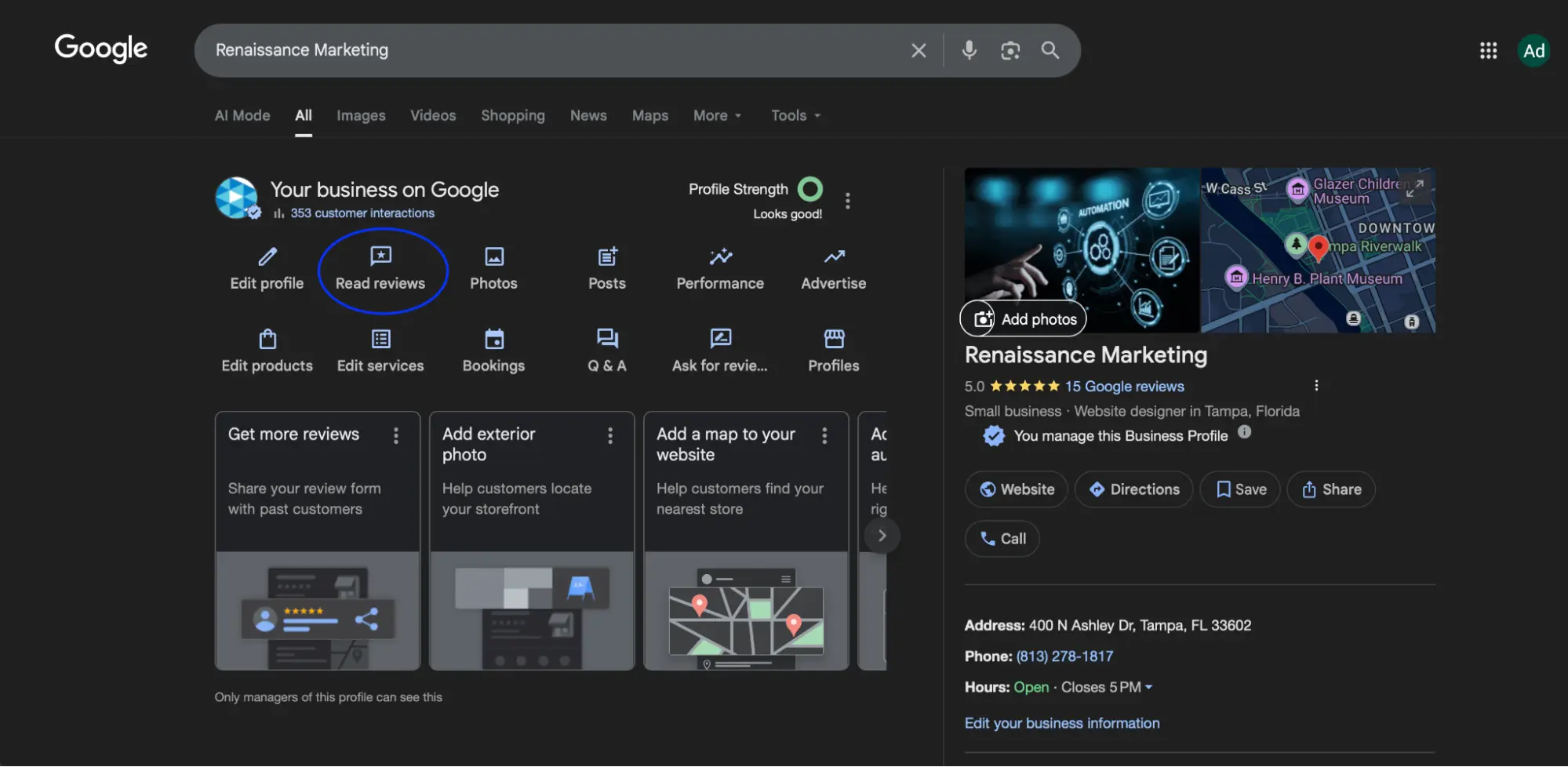
2. Open the Reviews section
Select the specific review you want Google to evaluate.
3. Click the three dots next to the review
4. Select Report Review
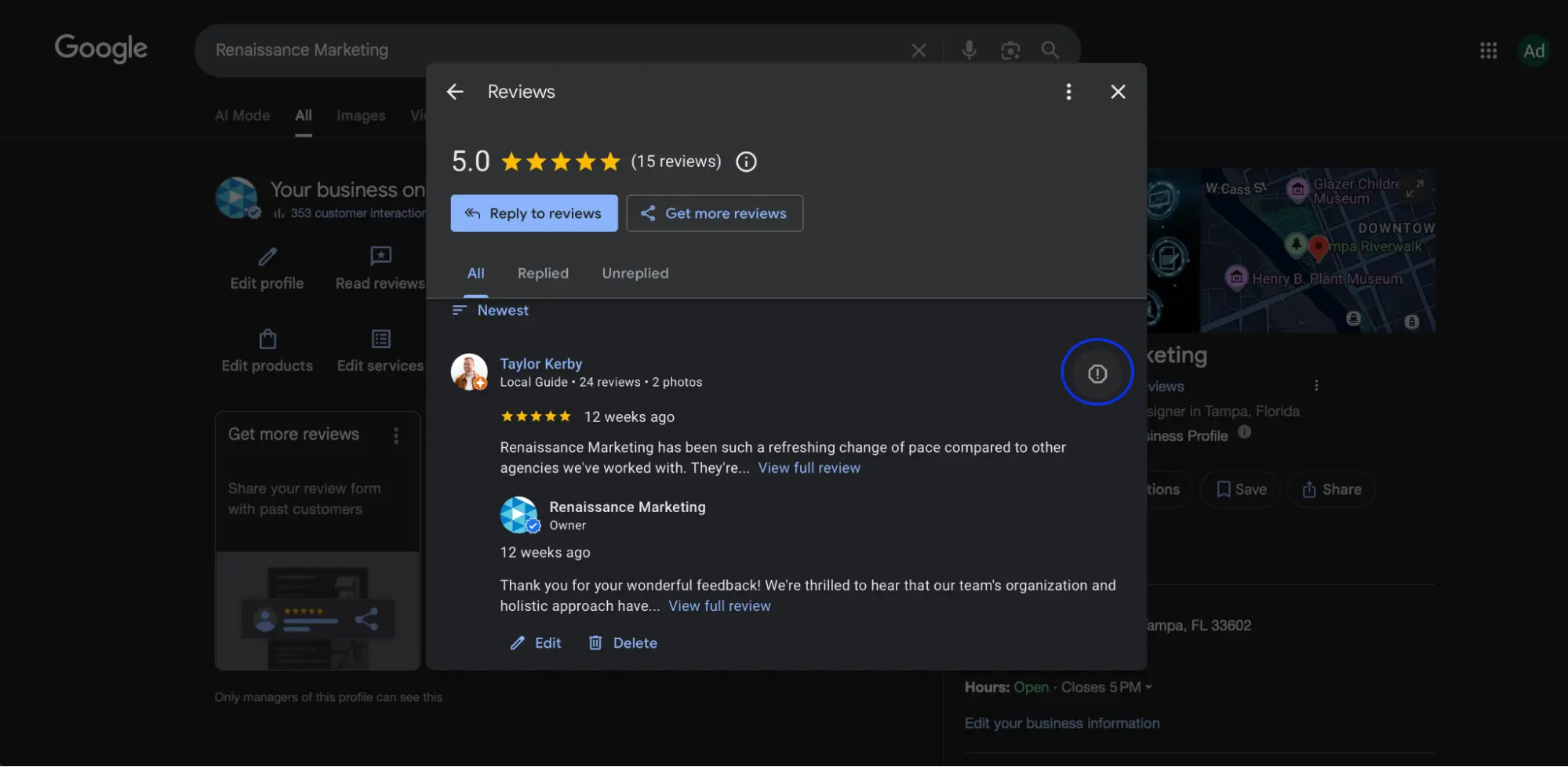
5. Choose the policy violation category
Examples include spam, harassment, or off-topic content.
6. Submit
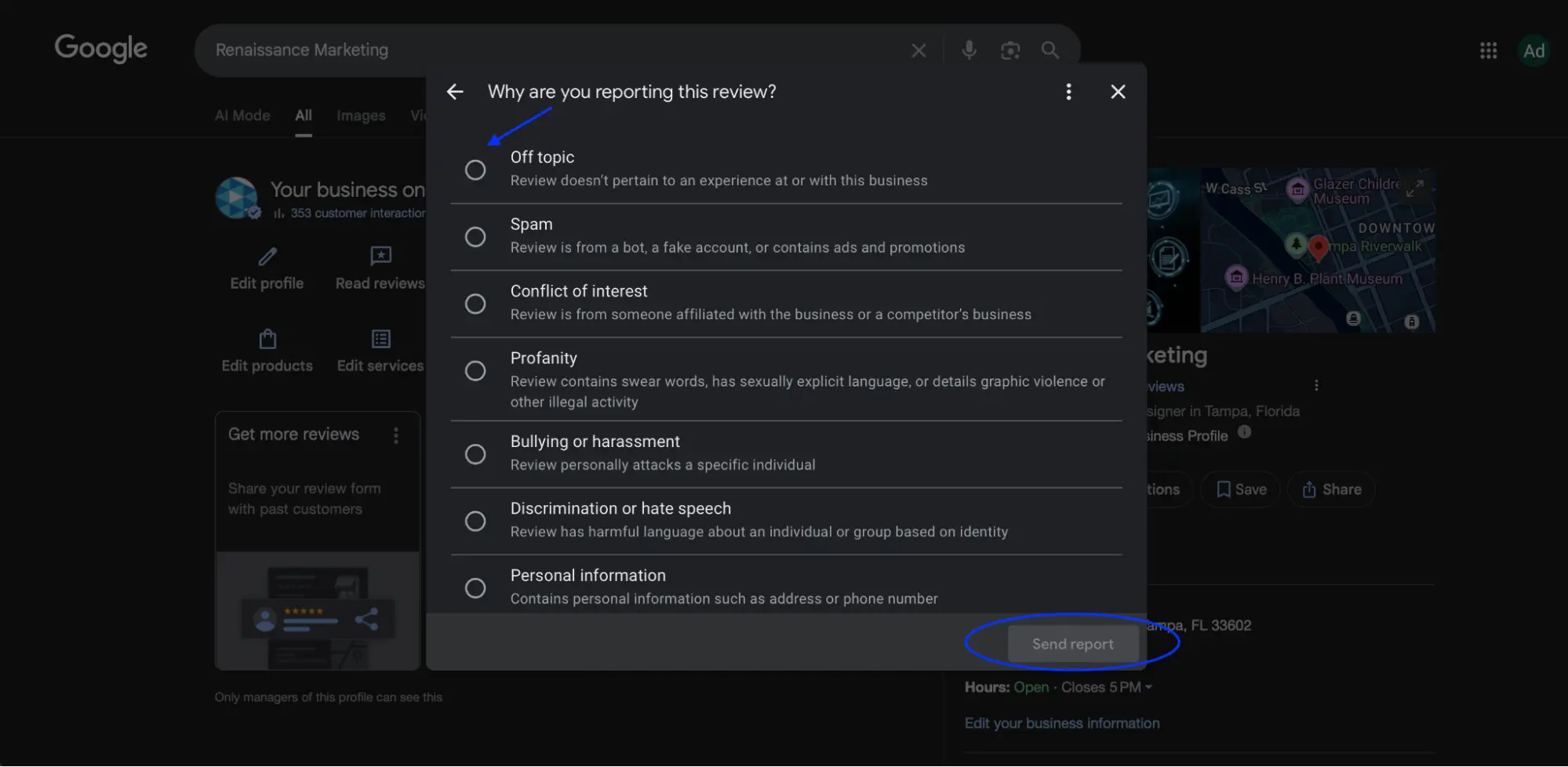
7. Monitor status in the Reviews Management dashboard
Google may take several days to respond.
What To Do if You Are Unable to Get a Review Removed
If Google declines your request, there are several steps you can take to protect your reputation.
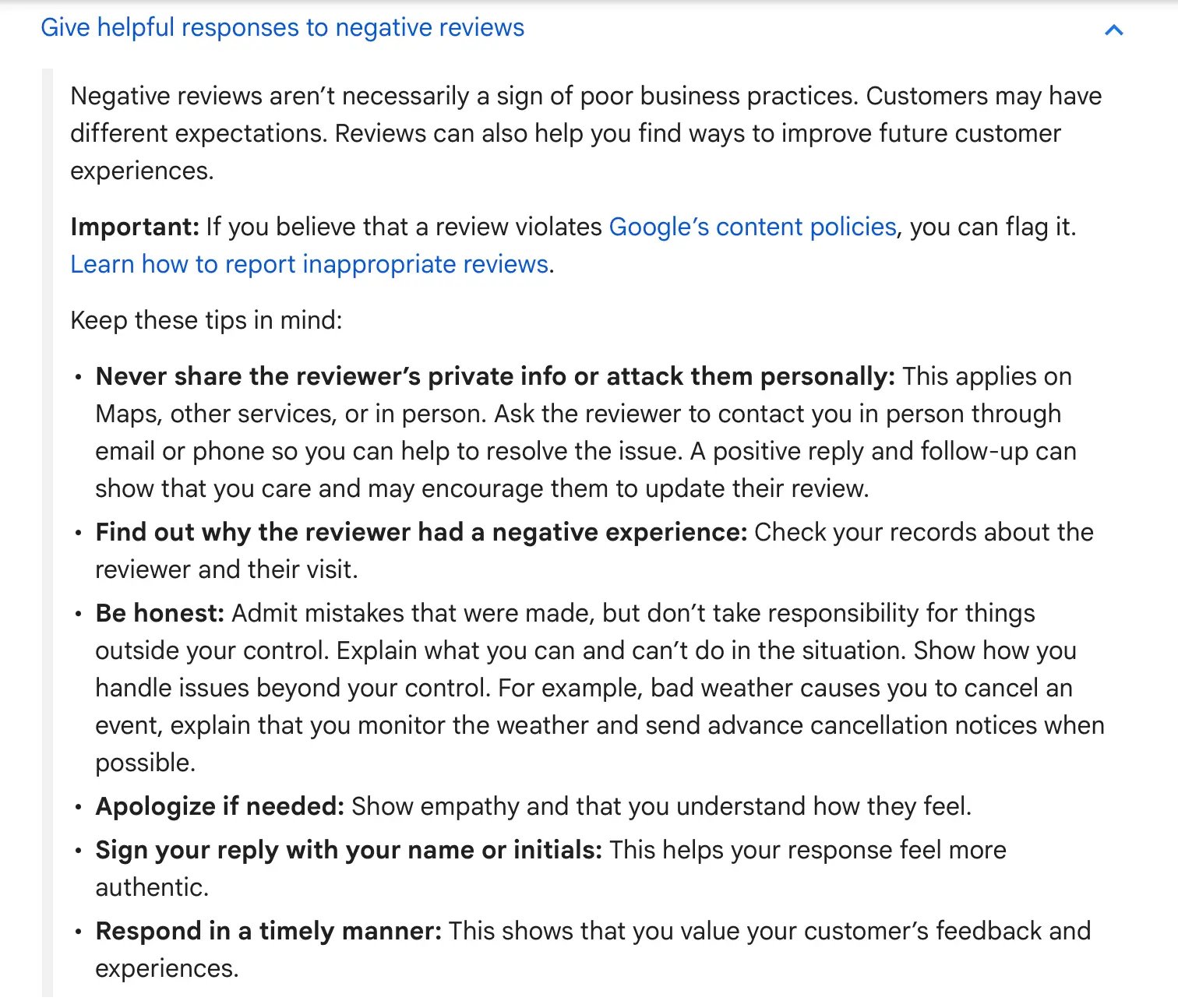
Diplomatically respond to a review
A calm and professional response shows potential customers how you handle difficult situations. Keep your reply polite, clear, and solution-oriented. Here’s Google’s recommendation:
Push more positive reviews
Fresh, positive reviews help outweigh negative ones. Be proactive in asking real customers to leave honest feedback.
Focus on enhancing your business
Negative reviews often highlight areas for improvement. Use them to refine your processes, training, or customer service.
Consider legal action
In rare cases involving defamation, threats, impersonation, or fraud, a legal advisor may help. Legal action should be a last resort.
What Types of Reviews Are Eligible for Removal by Google
Google only removes reviews that break its policies. Reviews are typically eligible for removal if they contain:
- Spam or fake reviews
- Conflict of interest
- Inappropriate content
- Harassment or hate speech
- Off-topic or irrelevant information
- Personal information
- Illegal content
- Impersonation
Understanding these categories will help you determine whether removal is likely.
How to Contact Google Business Support
If the review clearly violates policy and the automated system does not remove it, contacting Google Support directly may help.
Step-by-Step Instructions
1. Go to Google Business Profile Help
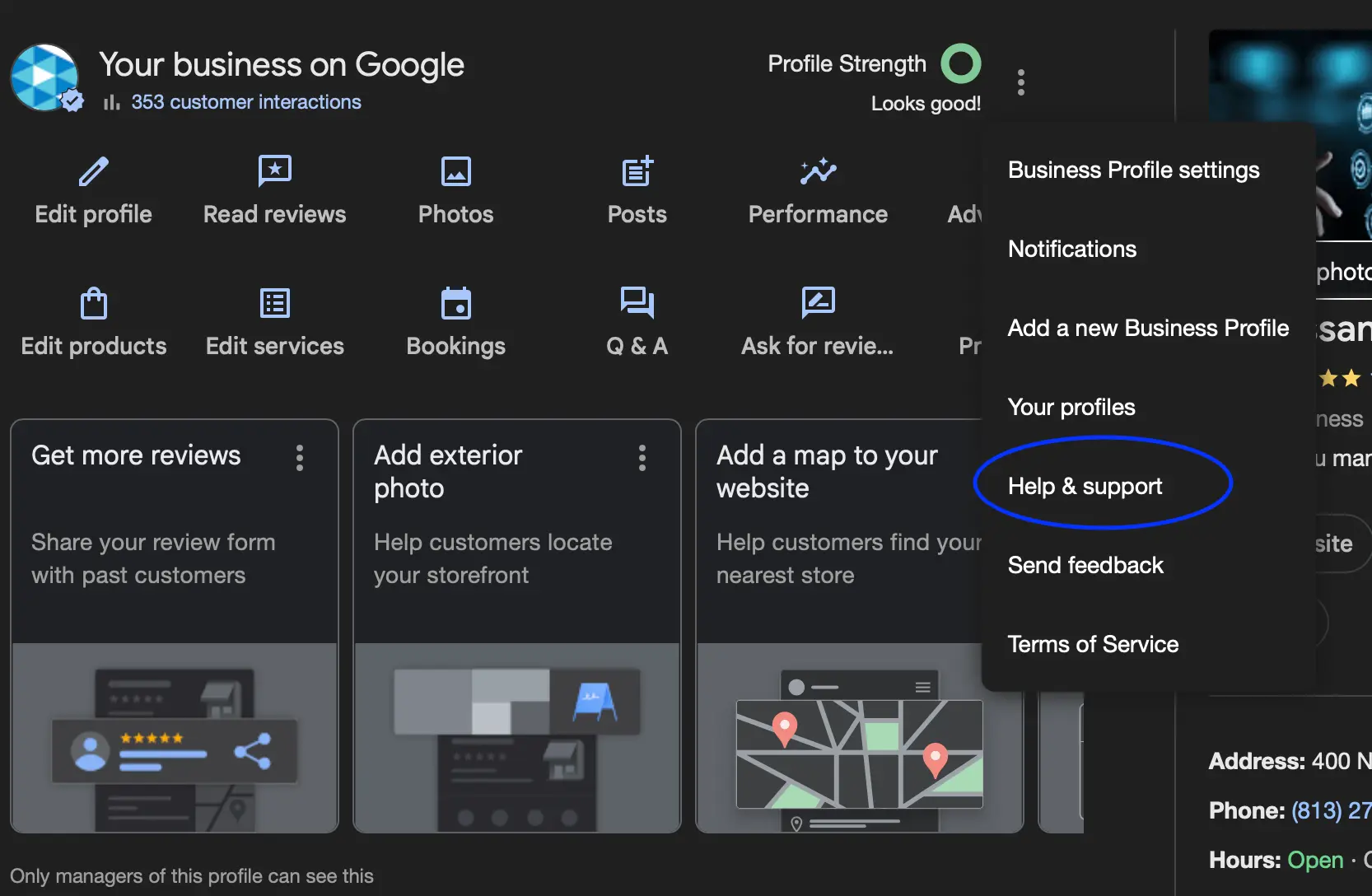
2. Select Contact Us
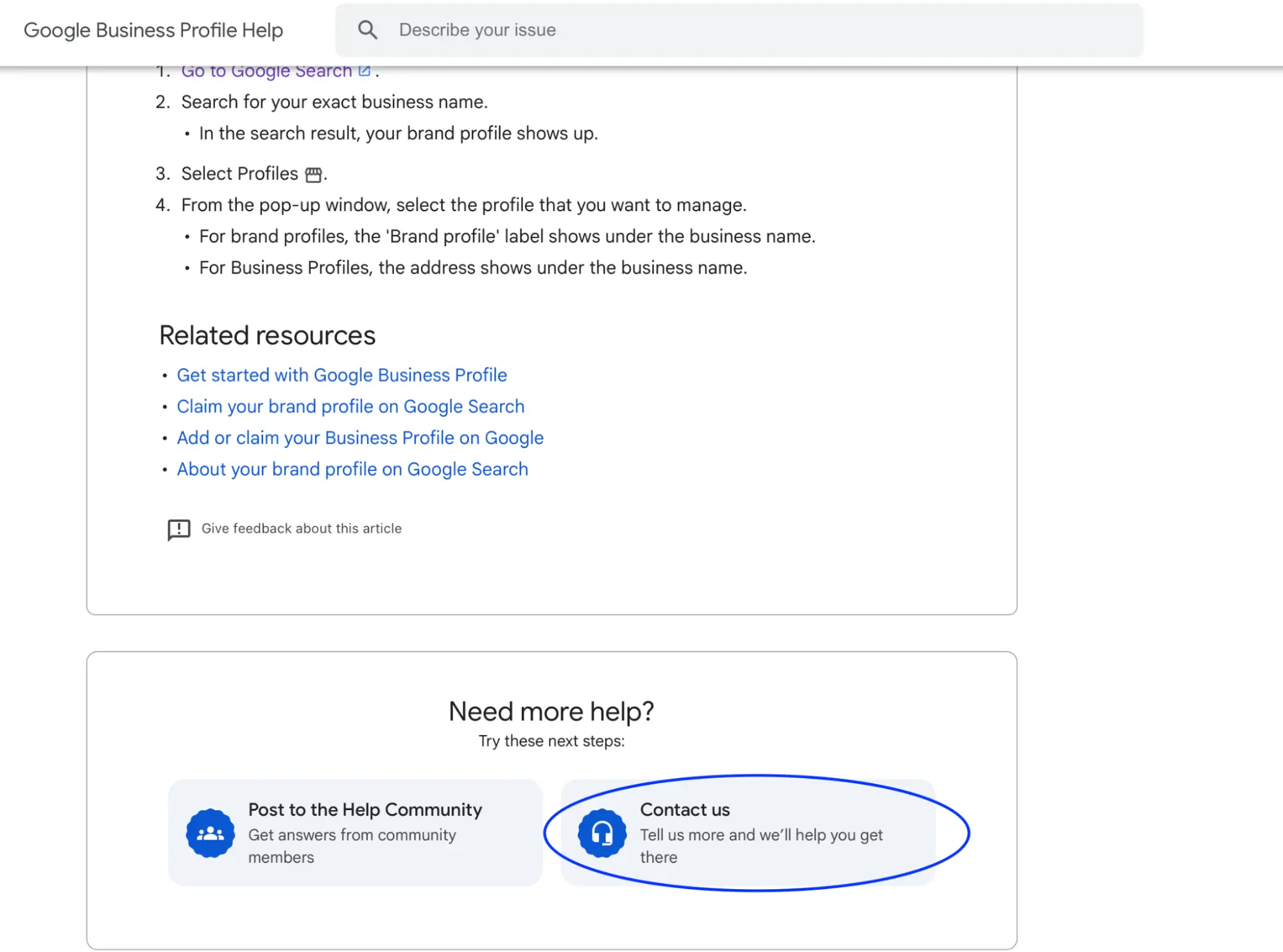
3. Choose Manage Customer Reviews and Photos
4. Choose the issue
Select the type of review removal problem.
5. Pick Email or Chat Support
6. Submit evidence
Screenshots or documentation help your case.
7. Follow up through email
Google may reply within 24 to 72 hours.
FAQs About Deleting Google Reviews
1. How should you handle negative reviews?
Always respond professionally. A thoughtful response can turn a negative situation into a positive impression.
2. How much time does Google need to remove a review?
Usually between 24 hours and seven days, depending on workload and policy evaluation.
3. Is it possible to edit a review I have posted on Google?
Yes. Customers can edit or delete their own reviews anytime.
4. How long do negative reviews stay on Google?
Indefinitely. A negative review will remain unless the reviewer removes it or Google deletes it for policy violations.
5. Will Google reveal the identity of someone who reported a review?
No. Reports are anonymous.
6. How do you hide Google reviews?
There is no way to hide reviews. You can only respond to them or request removal if they violate Google’s policy.
7. How do you turn off the reviews function on Google Maps?
You cannot disable reviews on a Google Business Profile.
8. Is there a way to view deleted Google reviews?
No. Once deleted by the customer or Google, they cannot be viewed.